Docs › Spaces, people and organizations
Organizations and teams
Your company in Daykite — its people, their roles, teams to filter the calendar by, and the bill.
An organization is your company. It owns the people you work with, the teams they're in, and the bill. Your own Spaces stay yours either way.
Create one
Settings → Organization, enter its name — Northwind Ltd — and Create organization.
You don't have to do this first: creating a team in a shared Space, or inviting colleagues, makes an organization named after the Space for you. Rename it here.
If you're in more than one organization, the page asks which one to manage.
People
Everyone in the organization, with their role.
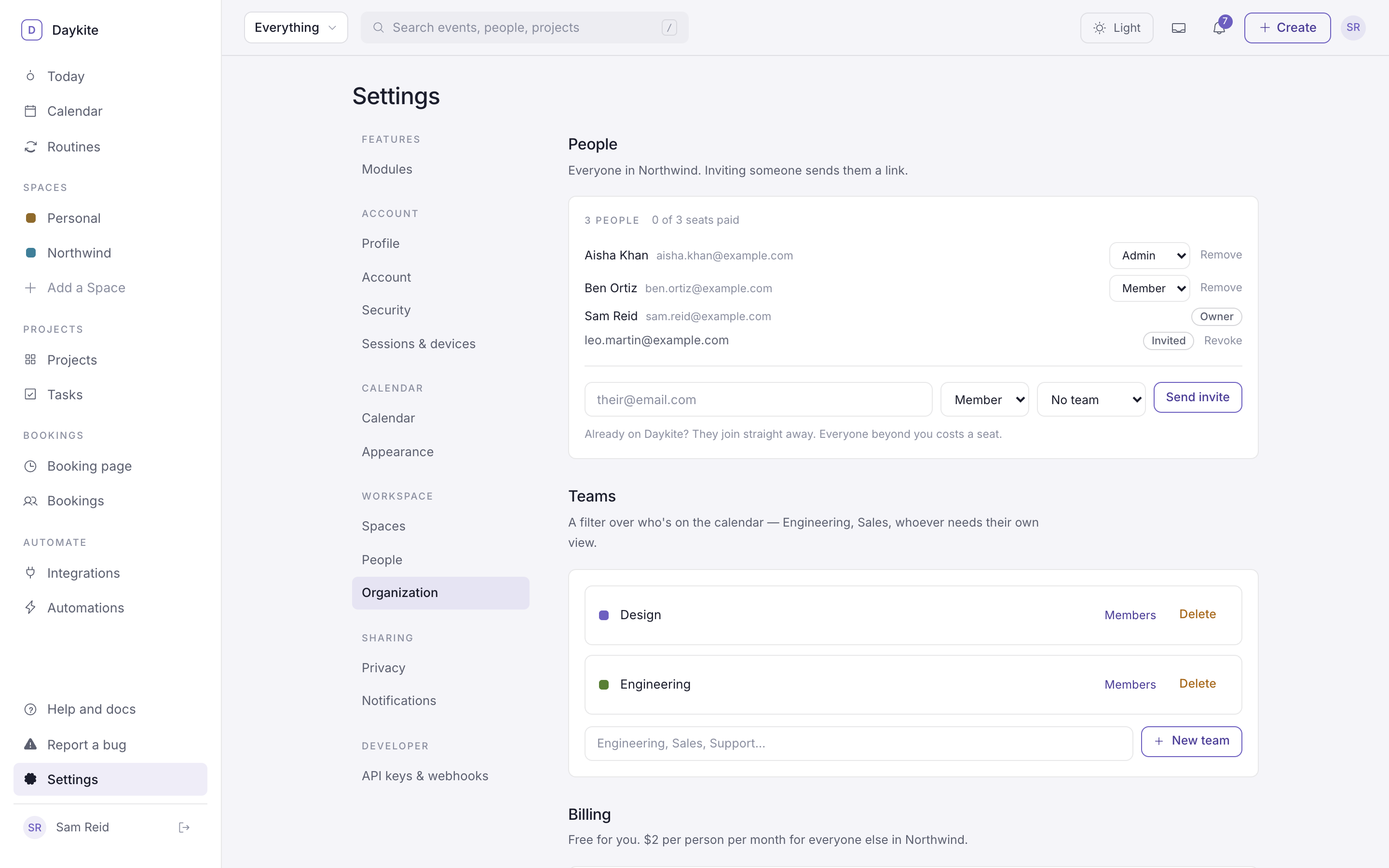
- Invite: enter their email, choose Member or Admin, optionally a Team, and Send invite. Someone already on Daykite joins straight away; anyone else gets a link to sign up, valid for 14 days, and shows as Invited until then.
- Change a role with the menu beside their name.
- Remove someone with the button beside them.
| Role | Can |
|---|---|
| Owner | Everything, including billing |
| Admin | Invite and remove people, manage teams |
| Member | Be in teams and shared Spaces |
Teams
A team is a filter over who's on the calendar — Engineering, Design, Sales.
- New team: type a name — Engineering, Sales, Support… — and add it.
- Members opens the team; Add someone… adds a person, the × beside them removes them.
Using a team: on the calendar, narrow Everything ▾ to a single Space. If it has teams, chips appear under the top bar — Everyone, Design, Engineering. Choose one to see only the events its members are in.
Billing
The Billing section shows how many seats the organization needs and has. See Plans and billing.