Docs › Bookings
Your booking page
One link where people pick a time with you — showing only free time, never what fills the rest.
Your booking page lives at daykite.com/book/your-handle. Guests choose a meeting type, then a day, then a time. Daykite only offers times you're genuinely free — inside your hours, clear of every event in every Space — and never shows a title, a Space, or any hint of what's taking the other hours.
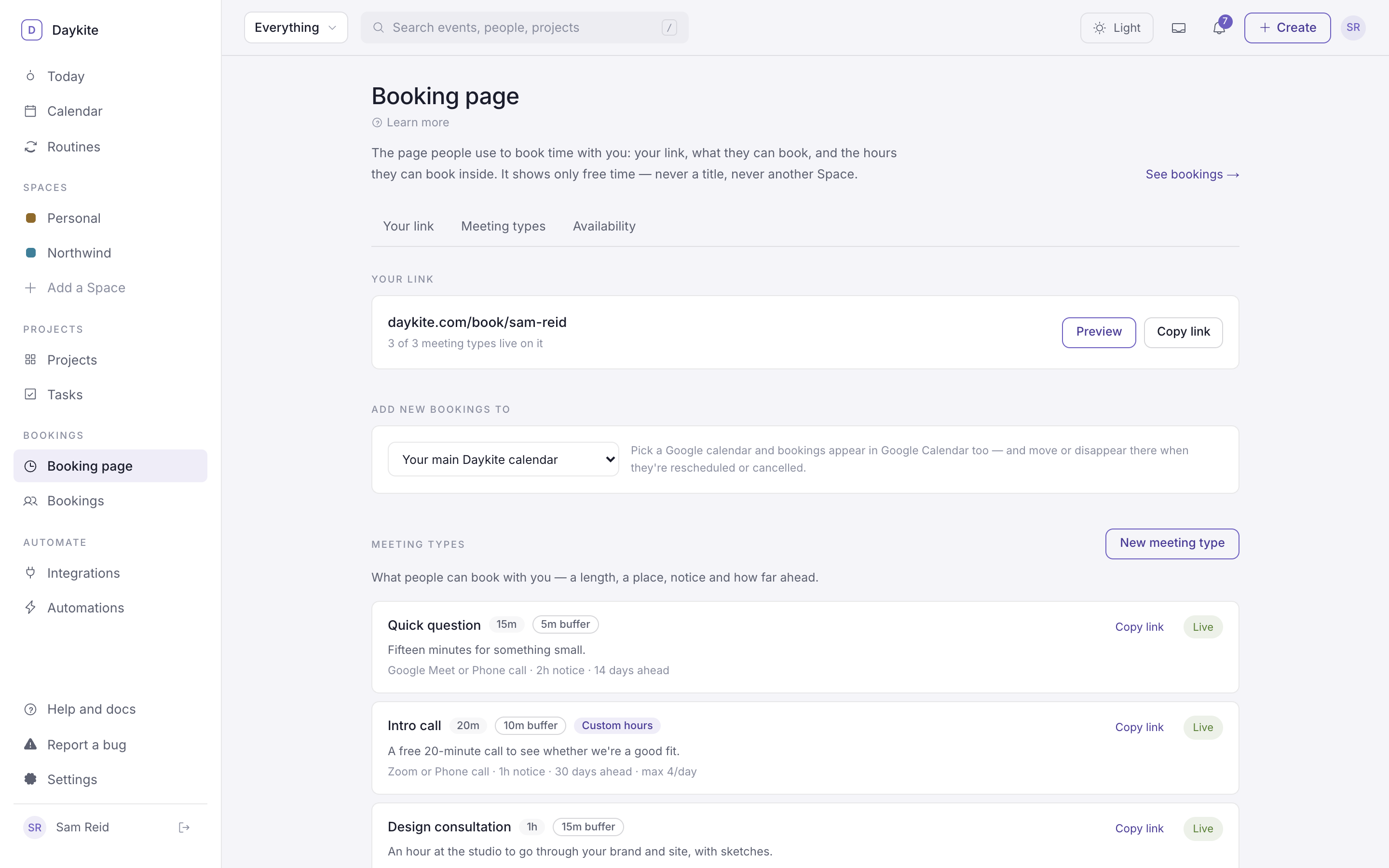
Set it up in three steps
- Choose a handle. Booking page → Choose a handle (or Settings → Profile → Booking page handle). Letters,
numbers and hyphens — sam-reid, northwind-studio. Your page goes live at
daykite.com/book/<handle>. - Create a meeting type — what people can book. See Meeting types.
- Check your hours. Bookings land inside your working hours unless a meeting type has its own. See Availability.
Then Copy link and share it — in your email signature, on your website, in a message.
The Booking page screen
Booking page in the sidebar has three sections, linked across the top:
| Section | What's there |
|---|---|
| Your link | Your page's address, how many meeting types are live on it, Preview and Copy link |
| Add new bookings to | Which calendar bookings are saved in |
| Meeting types | Everything people can book, each with its own Copy link and a Live / Off switch |
| Availability | Your working week, lunch and breaks |
A link for each meeting type
Your main link lists every live meeting type. Each type also has its own link that goes straight to it —
daykite.com/book/sam-reid/intro — so the guest never sees your other options. Use Copy link beside a type.
Where bookings are saved
Add new bookings to chooses the calendar each new booking lands in:
- Your main Daykite calendar — the default.
- A Google calendar — any Google calendar that syncs both ways. Bookings then appear in Google Calendar too, and move or disappear there when they're rescheduled or cancelled. See Google Calendar.
Switching a type off
Live / Off beside each meeting type takes it off your page without deleting it. Its own link then shows "This meeting isn't taking bookings right now." A type that's never been booked can be deleted from its editor; one with bookings can only be switched off, so its history stays.
What a booking does
When someone books:
- An event appears on your calendar, titled Intro call — Priya Nair, with the guest as a guest.
- The guest gets a confirmation email with the time in their time zone, how you'll meet, a calendar file, and a Change or cancel link.
- You get a notification, and an email unless you've turned booking emails off.
- Any automations for A booking is made run.
Manage what's come in on Bookings.