Docs › Integrations
Google Meet
Create a Meet link for any event in one click, and give every booking its own Meet room automatically.
Experimental. Integrations are still being tested. They may not run, or may give incomplete or wrong results — check anything important yourself, and tell us what goes wrong.
With Google Meet connected, Daykite makes Meet rooms for you — no copying links out of Google Calendar.
Connect
Integrations → Google Meet → Connect Google Meet. Google asks for permission to create Meet rooms. Daykite can only see and manage the rooms it made; the rest of your Meet is untouched.
If Google Calendar or Gmail is already connected, Meet is added to the same Google account.
A Meet link for an event
- Create or open an event, and choose More — place, call link and notes if it's closed.
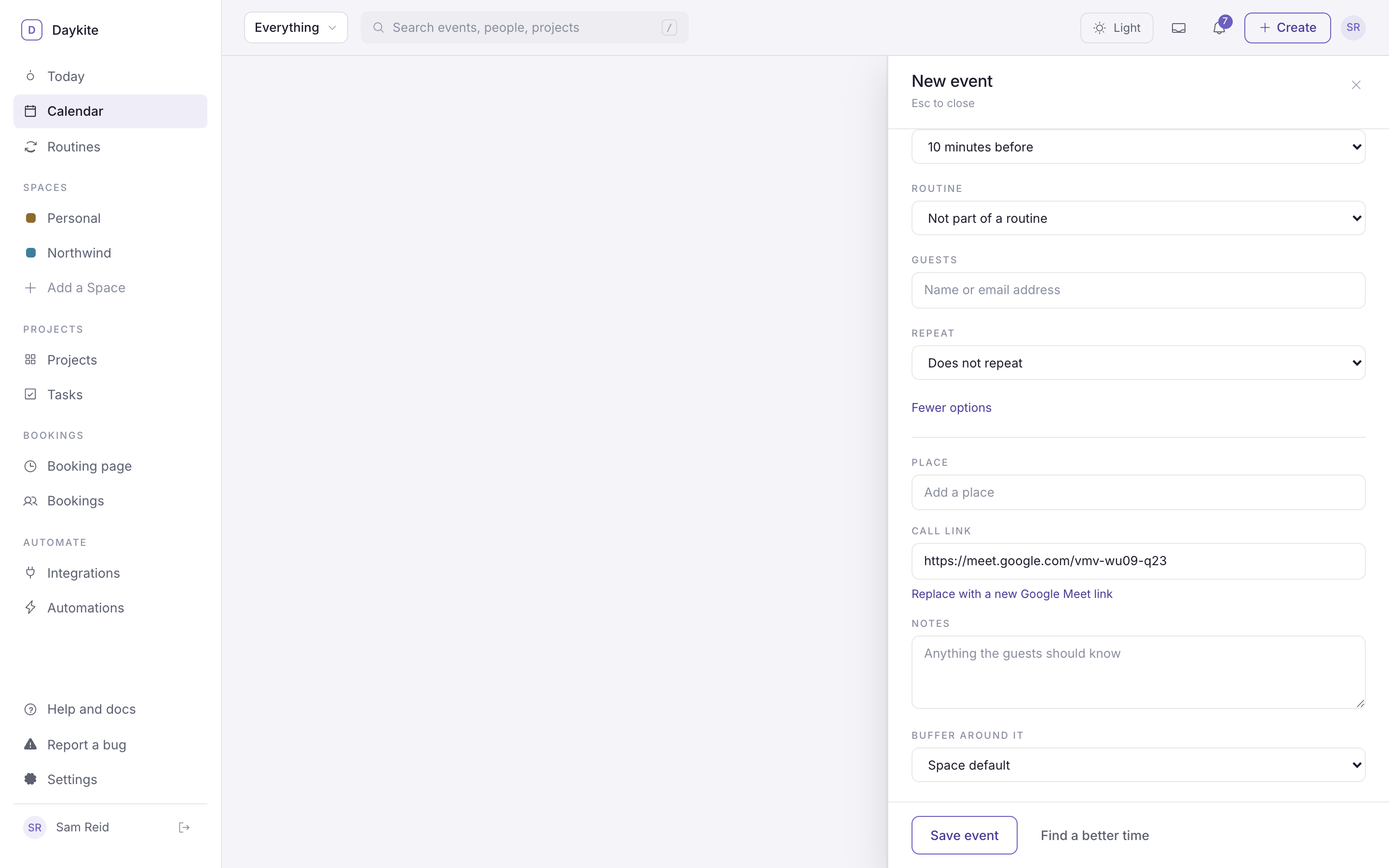
- Under Call link, choose Create a Google Meet link.
- A
https://meet.google.com/…link fills the field. Save.
Guests see Join the call on the event and in their invitation. Already have a link there? The button reads Replace with a new Google Meet link.
A Meet room for every booking
- Open a meeting type (Booking page → Meeting types).
- Under Where, add Video call and choose Google Meet.
- Choose A new Meet link for each booking, and save.
When a guest books, a room is made in your Google account just for that booking. The link goes on the calendar event, into the guest's confirmation email and calendar file, and onto the booking. Rescheduling keeps the same link.
Prefer one standing room? Choose The same link every time and paste it instead.
Who can join
Rooms follow your Google account's Meet settings. With a personal Google account, people outside it usually ask to join and you let them in; a Google Workspace administrator may have set it differently.