Docs › Bookings
Meeting types
What people can book with you — length, gap, notice, how far ahead, a daily limit, where you meet and when.
A meeting type is one thing a guest can book: Intro call, Design consultation, Quick question. Each has its own length, rules, places to meet, hours and link.
Create one from Booking page → New meeting type.
The basics
| Field | What it does | Choices |
|---|---|---|
| Name | What guests see | Intro call, Consultation |
| Link | The end of this type's own address — daykite.com/book/sam-reid/intro |
Letters, numbers, hyphens |
| Length | How long the meeting is | 15, 20, 30, 45, 60, 90 or 120 minutes |
| Gap after | Breathing room after each booking before the next can start | None, 5, 10, 15 or 30 minutes |
| Minimum notice | How soon someone can book — no one grabs the next ten minutes | None, 1 hour, 4 hours, 1 day, 2 days, 1 week |
| Bookable up to | How far ahead people can book | 7, 14, 30, 60 or 90 days |
| Most per day | A daily cap for this type | No limit, or a number |
| Description | Shown under the name: what it's for, anything to prepare |
Guests are also asked "What would you like to cover?" — their answer shows on the booking and in the event's notes.
Where
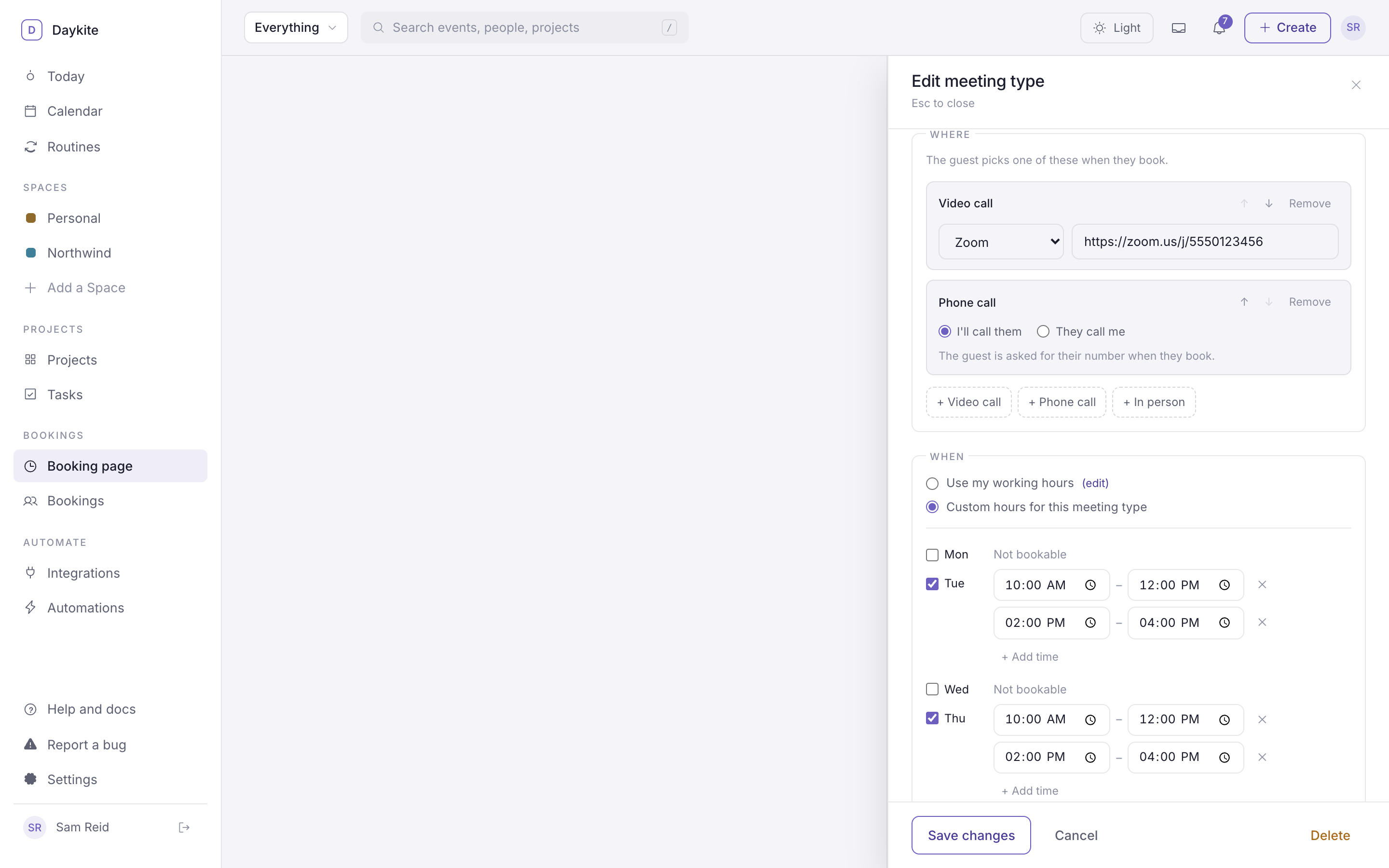
How you'll meet. Add one option, or up to five and let the guest choose. Links and phone numbers are only shared after someone books.
- Video call — Google Meet, Zoom, Microsoft Teams or another service.
- Phone call — you call them, or they call you.
- In person — an address.
Full details, with examples, in Where you meet.
When
- Use my working hours — the hours in Availability.
- Custom hours for this meeting type — its own week. Tick the days it's bookable, set the times, and use + Add time to add a second window on the same day (say 10:00–12:00 and 14:00–16:00).
A type with custom hours shows a Custom hours tag in the list. Either way, a time is only offered if you're free.