Docs › Getting started
Welcome to Daykite
What Daykite is, and the one idea — Spaces — that makes the rest of it make sense.
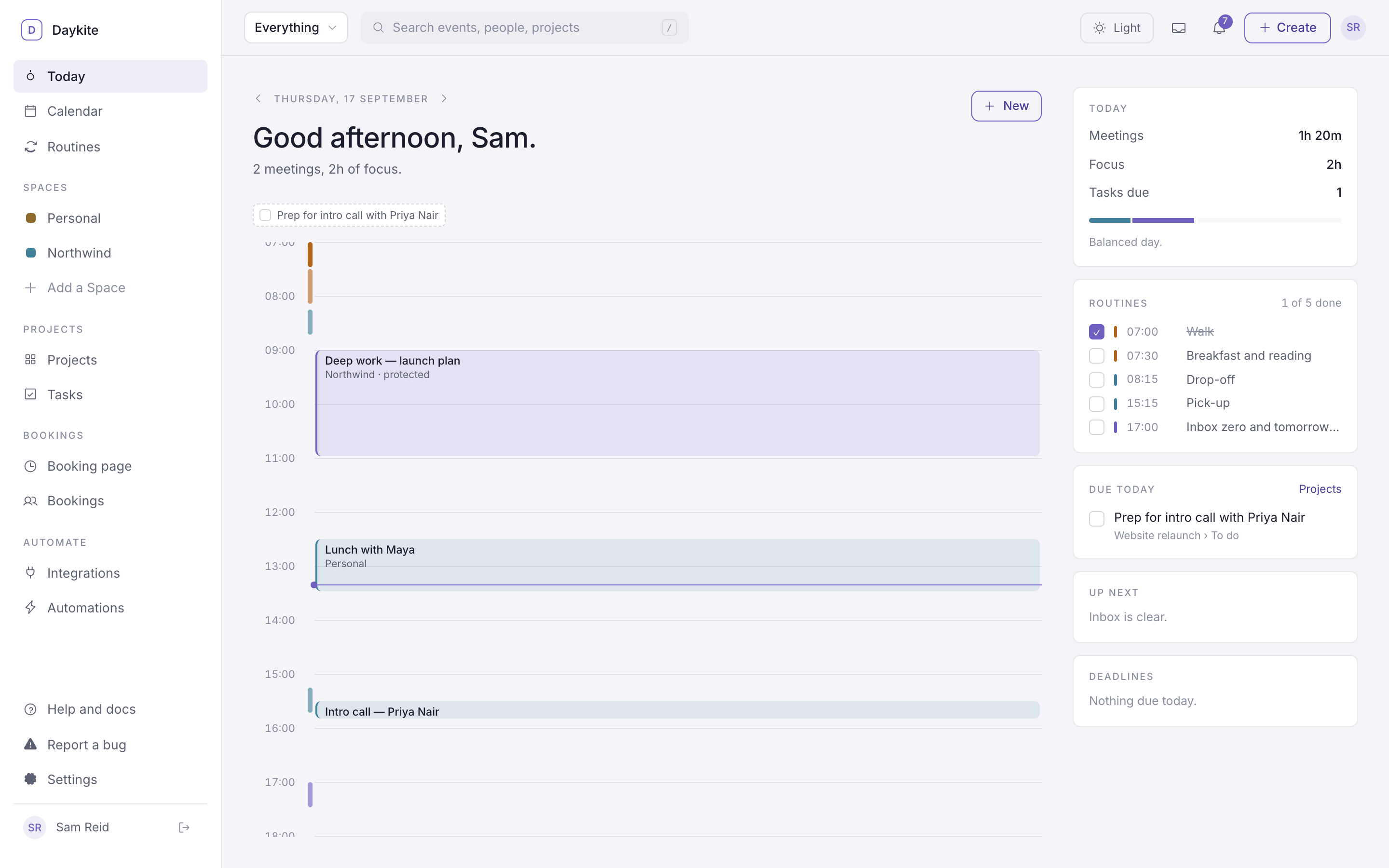
Daykite is a calendar that holds your whole day: meetings, focus time, the routines you want to keep, the tasks you need to get through, and the times other people book with you. Work and home live side by side, without either one leaking into the other.
What you can do with it
| Part of Daykite | What it's for | Start here |
|---|---|---|
| Calendar | Events, focus blocks and reminders, in seven views | Views and moving around |
| Routines | The shape you want your days to have — a morning walk, the school run | What a routine is |
| Tasks and projects | Your own to-do lists, and shared project boards | Your tasks |
| Bookings | A page where people pick a time with you | Your booking page |
| Automations | "When this happens, do that" — drawn as a workflow | How automations work |
| Integrations | Google Calendar, Gmail, Google Meet and Google Sheets | Google Calendar |
Routines and Spaces are on from the start. Projects and Bookings are switched on when you need them — see Turn features on and off.
The one idea: Spaces
Everything in Daykite belongs to a Space. A Space is a part of your life with its own people and its own privacy:
- Personal — every account has one. It's yours alone.
- Work, Client or Family Spaces — shared with the people in them.
When you add an event you choose its Space, and that decides who can see it. Your colleagues in Northwind see your design review. They don't see your dentist appointment — at most they see that the hour is taken.
Your Spaces are listed in the sidebar — choose one to see just its calendar, or Add a Space. The Everything ▾ menu at the top left of every screen does the same from anywhere: everything, only work, only personal, or a single Space. It changes the view, not the data — switch back and it's all still there.
Read more in Spaces and privacy.
How these docs work
Each page answers a "how do I…" question, with the steps, what happens behind the scenes where it matters, and a worked example. The screenshots come from a demo account — Sam Reid, who runs a studio called Northwind — so the names you see are made up.