Docs › Calendar
Find a time
Let Daykite find a free window that fits inside your working hours and leaves focus time alone.
Find a time looks through your calendar for windows that are genuinely free — inside your working hours, not overlapping anything, and never eating into focus blocks — and ranks the best ones first.
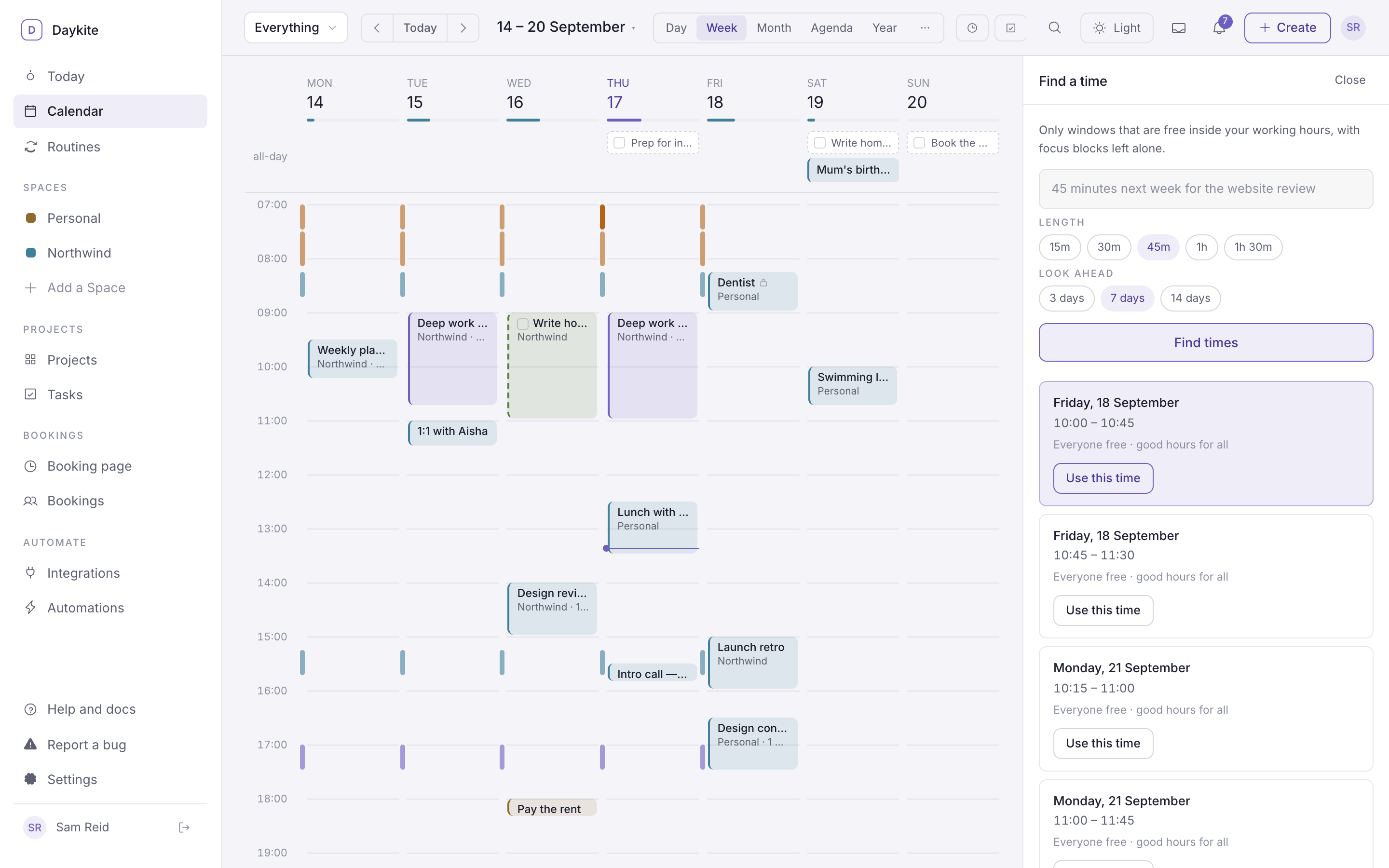
Use it
- On the calendar, choose the magnifier button in the toolbar (or Find a better time in the event form, or Find a time from the ⌘ K palette).
- Choose a Length — 15m, 30m, 45m, 1h or 1h 30m — or write it in the box, like 45 minutes for the website review.
- Choose how far to Look ahead: 3, 7 or 14 days, starting tomorrow.
- Choose Find times.
You get up to six suggestions, spread out — none overlap, and no day gets more than two. The first is highlighted as the best. Each shows the day, the times, and a short note — "Everyone free · good hours for all". Choose Use this time to open the event form with those times filled in.
How it picks
- Only inside your working hours. Set them in Booking page → Availability. Breaks like lunch are left out.
- Anything already on your calendar is busy, focus blocks included — whichever Space it's in.
- Civilised hours first. A slot between 10:00 and 16:00 ranks above one at 09:00 or 17:30.
- If you've narrowed the calendar to one Space with Everything ▾, that Space's holidays close those days.
If nothing fits you'll see "Nothing that long is free in the next 7 days" — try a shorter length or look further ahead.