How to Do a Weekly Review in 30 Minutes
A 30-minute weekly review checklist that clears your inboxes, closes open loops, checks every project and ends with a week you trust — plus a copyable template.
The Daykite team9 min read
By Friday afternoon, most people are carrying dozens of small unfinished things in their heads: a reply they promised, a document someone said they'd send, a meeting that ended with "let's pick this up next week", a receipt that needs submitting. None of them is urgent. Together, they're the reason Sunday evening feels uneasy.
A weekly review is how you put all of that down. Once a week, for 30 minutes, you go through every place work collects, close what can be closed, and write down what can't. When you finish, you know — not hope — that nothing important is slipping.
This guide gives you a review you can finish in half an hour, a template to copy, and a worked example.
Weekly review vs weekly planning
The two are often confused, and they work best as separate steps.
| Weekly review | Weekly planning | |
|---|---|---|
| Question | "What's open, and is anything slipping?" | "What will I do next week, and when?" |
| Looks at | Inboxes, notes, the calendar behind and ahead, projects, things you're waiting for | Priorities, free time, next week's calendar |
| Ends with | A clean, complete list | Three outcomes, blocked on the calendar |
| Feels like | Tidying the workshop | Deciding what to build |
The review comes first. Planning on top of a messy, incomplete list means planning around things you've forgotten. If you already have a planning session, the review slots in just before it — see how to create a weekly planning routine you'll actually keep for the planning half. Many people do both in one sitting: 30 minutes to review, 20 to plan.
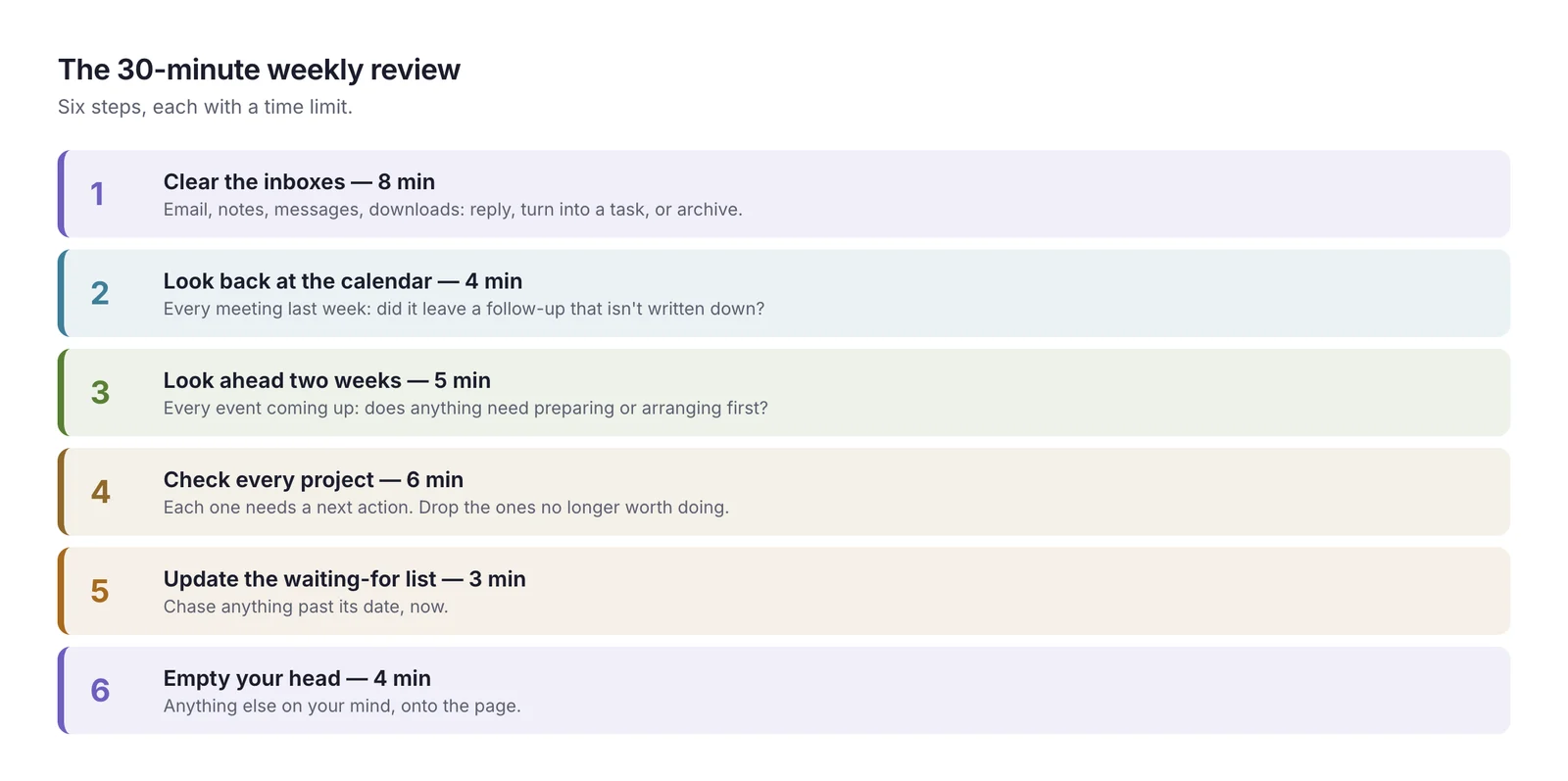
The 30-minute weekly review checklist
Six steps, in this order, with a time limit on each. The limits matter: a review that takes two hours doesn't survive a busy month.
Step 1: Get your inboxes to "processed" (8 minutes)
Not zero — processed. Go through each place things arrive and make a quick decision about each item:
- Email: anything needing a reply of under two minutes, reply now. Everything else becomes a task with a due date, or gets archived.
- Notes and scraps: meeting notes, a notebook page, voice memos, photos of a whiteboard. Pull out the actions.
- Messages: starred or saved chat messages you meant to come back to.
- Downloads and desktop: the "I'll deal with this later" files.
The rule is simple: nothing stays in an inbox as a reminder. If it needs doing, it goes on your task list; if it doesn't, it gets archived. Eight minutes won't clear a 400-email backlog — but it will clear this week's new arrivals, and that's the part that holds commitments.
Step 2: Look back at the calendar (4 minutes)
Scroll through the past week, day by day, and for each meeting or event ask: did anything come out of this that isn't written down yet?
- A decision someone needs you to act on
- A document you said you'd share
- An introduction you offered to make
- A follow-up call you agreed to book
This is the single most productive step in the review. Meetings generate commitments, and most of them are made out loud. A four-minute scroll catches the ones that never reached a list.
Step 3: Look ahead two weeks (5 minutes)
Now scroll forward through the next two weeks — not one. For each event, ask: does anything need to happen before this?
- A presentation that needs slides
- A trip that needs a hotel, or a visa
- A birthday that needs a present posted three days ahead
- A client meeting that needs the numbers updated
Two weeks is the useful horizon because it gives you a full working week to prepare for anything the week after next brings. Looking ahead only seven days is how Monday's presentation becomes Sunday night's job.
Also check the calendar itself for problems: double bookings, meetings you've accepted but no longer need, days with no gap for lunch. Fixing them now, while there's time to decline politely, is far easier than on the day.
Step 4: Check every active project (6 minutes)
List your active projects — anything with more than one step that you're committed to finishing. For each, ask one question: what's the next physical action?
- "Website relaunch" → next action: send the sitemap to Jordan for review
- "Kitchen renovation" → next action: call two contractors for quotes
- "Q4 budget" → next action: get last year's actuals from finance
A project without a next action is a project that's stalled — it just hasn't told you yet. If you can't name the next step, that is the next step: decide how to approach the budget.
Also ask whether each project is still worth doing. The weekly review is the right moment to drop something quietly rather than carry it for another month.
Step 5: Update the waiting-for list (3 minutes)
Things you've handed to someone else are the easiest to forget, because they're not on your to-do list. Keep a short waiting-for list:
| Waiting for | From | Since | Chase on |
|---|---|---|---|
| Signed contract | Acme legal | 2 October | 9 October |
| Design mockups | Sam | 30 September | 7 October |
| Reimbursement | Finance | 25 September | Now |
Go down the list. Anything past its chase date gets a short, friendly nudge — sent now, in the review, not added to Monday's list.
Step 6: Empty your head (4 minutes)
Finally, sit with a blank page for four minutes and write down anything still on your mind that none of the steps caught: a worry, an idea, a personal errand, something you meant to ask your manager. Some will become tasks, some go on a someday list, and some just needed writing down.
When the page stays blank for a minute, you're done.
A template you can copy
Put this in a note, or in the description of a recurring calendar event, and tick it off each week:
Weekly review — 30 min
- ☐ Inboxes processed: email, notes, messages, downloads (8)
- ☐ Last week's calendar: follow-ups captured (4)
- ☐ Next two weeks: prep tasks added, clashes fixed (5)
- ☐ Every project has a next action; anything to drop? (6)
- ☐ Waiting-for list checked; chasers sent (3)
- ☐ Head emptied (4)
Then: plan next week — three outcomes, blocked on the calendar.
A real example: Leila's Friday review
Leila runs operations at a 40-person company. Her review is on the calendar every Friday at 15:30, 30 minutes, followed by 20 minutes of planning.
Step 1, inboxes: 38 unread emails from the week. She answers six quick ones, turns four into tasks (approve the new cleaning contract, send headcount numbers to finance…), and archives the rest. Two pages of meeting notes give up three more tasks.
Step 2, looking back: Tuesday's supplier meeting ended with "I'll send you our office floor plan". It wasn't written down anywhere. It is now — and she sends it on the spot, because it takes a minute.
Step 3, looking ahead: the week after next has the quarterly all-hands, and she's presenting the office move. That needs slides, and the slides need the lease dates from legal. A task goes on Monday: ask legal for lease dates. She also spots that next Thursday has her 1:1 with the CEO at the same time as a vendor call; she moves the vendor call.
Step 4, projects: five active projects. Four have clear next actions. The fifth, new expense policy, hasn't moved in three weeks. She realizes it's blocked on a decision only the CFO can make, so the next action becomes book 20 minutes with the CFO — and she drops a sixth project, office plant subscription, which nobody has asked about since June.
Step 5, waiting-for: the IT laptop order is a week overdue. She sends a two-line chaser.
Step 6, head: renew parking permit, idea: onboarding checklist for new managers. One task, one someday item.
Time: 29 minutes. Her planning session then starts from a list she trusts — and the all-hands slides are already on the way two weeks early instead of the night before.
How to make the review stick
A weekly review that happens once is useful. One that happens every week changes how work feels. What helps it stick:
- Put it on the calendar, recurring, at the same time each week — Friday afternoon or Monday morning are the most common. See how to create recurring events that don't clutter your calendar for setting it up well.
- Protect it like a meeting. Mark it busy. If it's moved, move it within the same week — don't skip it.
- Keep the timer. If a step overruns, write down where you stopped and move on. Finishing all six steps roughly matters more than finishing one perfectly.
- Have a short version. On a terrible week, do only steps 2, 3 and 5 — ten minutes that catch most of what matters.
- Do it somewhere different. A café, a different room, or just a closed laptop lid for step 6. The change of setting signals "this isn't ordinary work".
Common mistakes
- Doing the tasks during the review. Anything over two minutes goes on the list. The review is for deciding, not doing.
- Only looking one week ahead. Two weeks is what gives you time to prepare.
- Reviewing projects without naming next actions. "Still in progress" isn't a status.
- Skipping the waiting-for list. It's where other people's delays quietly become your deadlines.
- Merging review and planning into one blur. Review first, until the list is complete; then plan.
- Making it perfect. A rough 30-minute review every week beats a thorough two-hour review once a month.
Where automation helps
Parts of the review can be prepared for you before you sit down:
- A summary of the week behind you — where your time went, how much of it was meetings, which tasks didn't get done
- A list of unscheduled tasks due in the next two weeks, so step 3 starts with the obvious gaps already found
- Follow-up tasks created automatically for certain meetings, so step 2 has less to catch
- A reminder at the start of your review slot, so it doesn't get lost in a Friday afternoon
How Daykite helps
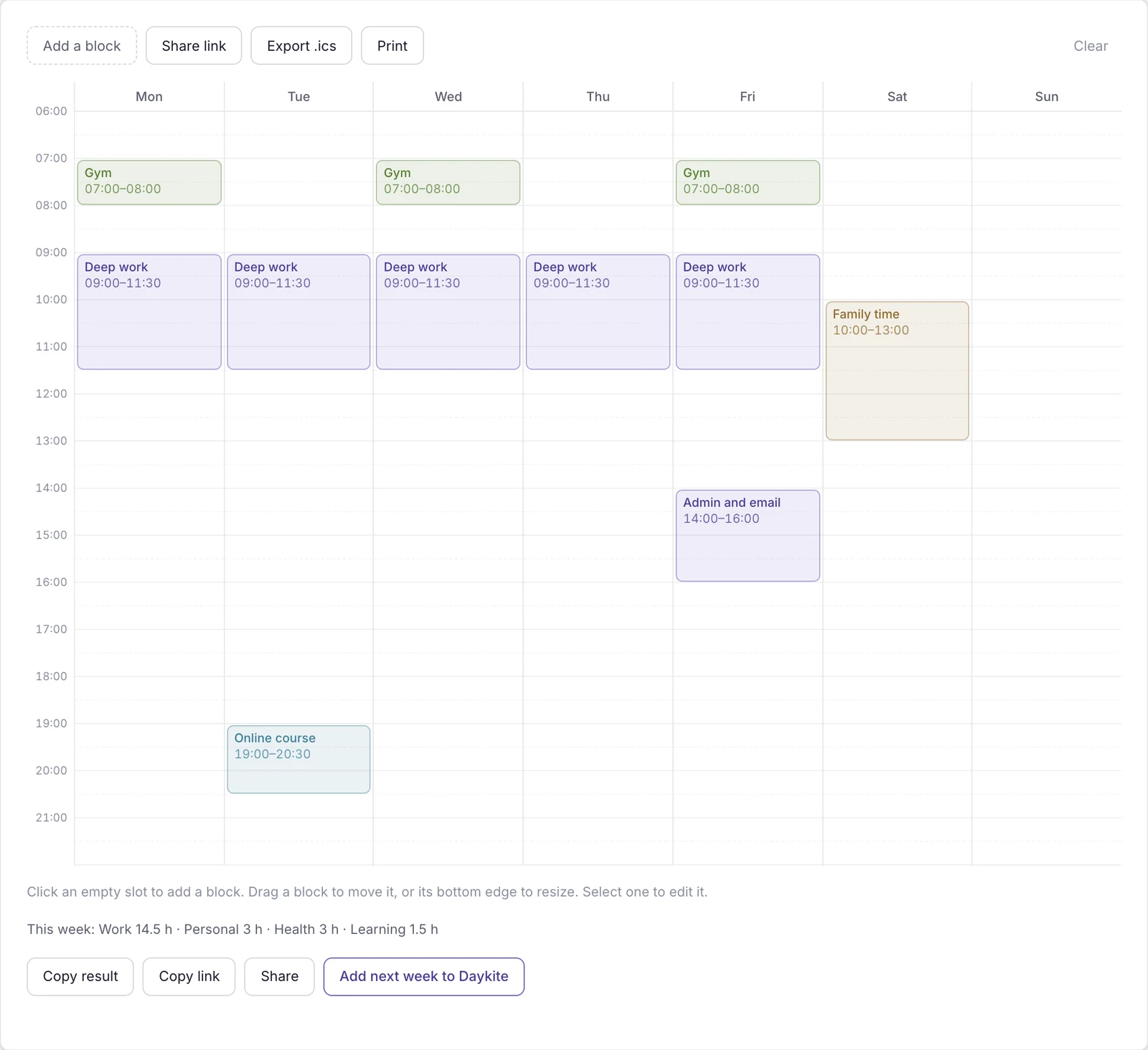
Daykite's assistant has a Review my week quick action that summarizes where your time went and what's coming, and Unscheduled tasks lists tasks with a due date but no time on the calendar — a head start on steps 3 and 4. Time Insights shows your hours by type, your meeting load and planned versus actual focus, compared with the week before. And an automation can create a Send notes task, due the day after, whenever an event with a particular word in its title — client, say — is added to your calendar, so fewer follow-ups depend on memory. The free Weekly Planner is a quick way to sketch the week after your review.
Frequently asked questions
What is a weekly review?
A weekly review is a short, regular session — usually 30 minutes — where you clear your inboxes, capture follow-ups from the past week, prepare for the next two weeks, check every project has a next step and update what you're waiting for from others.
How long should a weekly review take?
About 30 minutes once it's a habit. The first few may take an hour because there's a backlog; after that, time-limit each step so the review stays short enough to do every week.
When is the best time to do a weekly review?
Friday afternoon is the most popular — the week is fresh in your mind and you can switch off for the weekend. Monday morning works if Fridays are unpredictable. Pick one time and keep it.
What's the difference between a weekly review and weekly planning?
The review makes sure your list is complete and nothing is slipping. Planning then chooses next week's outcomes and blocks time for them. Do the review first, so you plan on a complete picture.
What should a weekly review checklist include?
Processing your inboxes, looking back at last week's calendar for follow-ups, looking ahead two weeks for preparation, naming a next action for every project, checking your waiting-for list and writing down anything else on your mind.
What if I miss a week?
Do a short version the next week — look back two weeks instead of one — and carry on. A missed week isn't a failed habit; three missed weeks in a row usually means the time slot is wrong, so move it.
weekly reviewweekly review checklistproductivity routineopen loopsplanning
Comments