How to Organize Your Calendar for a Less Stressful Week
Organize your calendar in seven steps: protect focus time, group meetings, batch admin and leave buffers — with a real before-and-after week.
The Daykite team9 min read
Most people don't have a time problem. They have a calendar that doesn't tell the truth. It shows the meetings, but not the report due Thursday, the half hour it takes to get across town, or the fact that you're useless after three back-to-back calls. So the week looks manageable on Monday morning, and by Wednesday afternoon it's on fire.
Organizing your calendar fixes that. Not by squeezing more in, but by making the calendar an honest picture of what your week actually needs. This guide walks through a seven-step method that takes about 45 minutes the first time and 20 minutes a week after that.
Why your week feels stressful even when it isn't that busy
Stress around a calendar almost always comes from one of four things:
- Invisible work. Meetings go on the calendar because someone sends an invitation. Your own work — the proposal, the code review, the budget — usually doesn't, so it gets whatever scraps of time are left.
- No transitions. A calendar that runs 09:00–10:00, 10:00–11:00, 11:00–12:00 assumes you can teleport, never need a coffee, and that every meeting ends on time.
- Everything looks the same. When a dentist appointment, a client pitch and a "quick sync" are all the same blue rectangle, you can't see the shape of your week at a glance.
- Decisions made in the moment. If you decide what to work on each time a gap appears, you'll pick whatever is loudest, not what matters.
Each step below removes one of those problems.
Step 1: Empty your head before you touch the calendar
Before you move anything, write down everything that's pulling at your attention this week. Not just tasks — appointments you've half-agreed to, things you promised a colleague, the birthday present you still need to buy.
Give yourself ten minutes and a blank page. You'll probably find more than you expected — 15 to 30 items is common. The point isn't to schedule all of them; it's to stop your brain from trying to remember them, and to see how much you're actually carrying.
Next to each item, write a rough estimate: 15 min, 1 h, half a day. Estimates will be wrong, and that's fine. A wrong estimate is still far more useful than none, because it tells you when a week is overbooked before you're in the middle of it.
Step 2: Put in the things you can't move
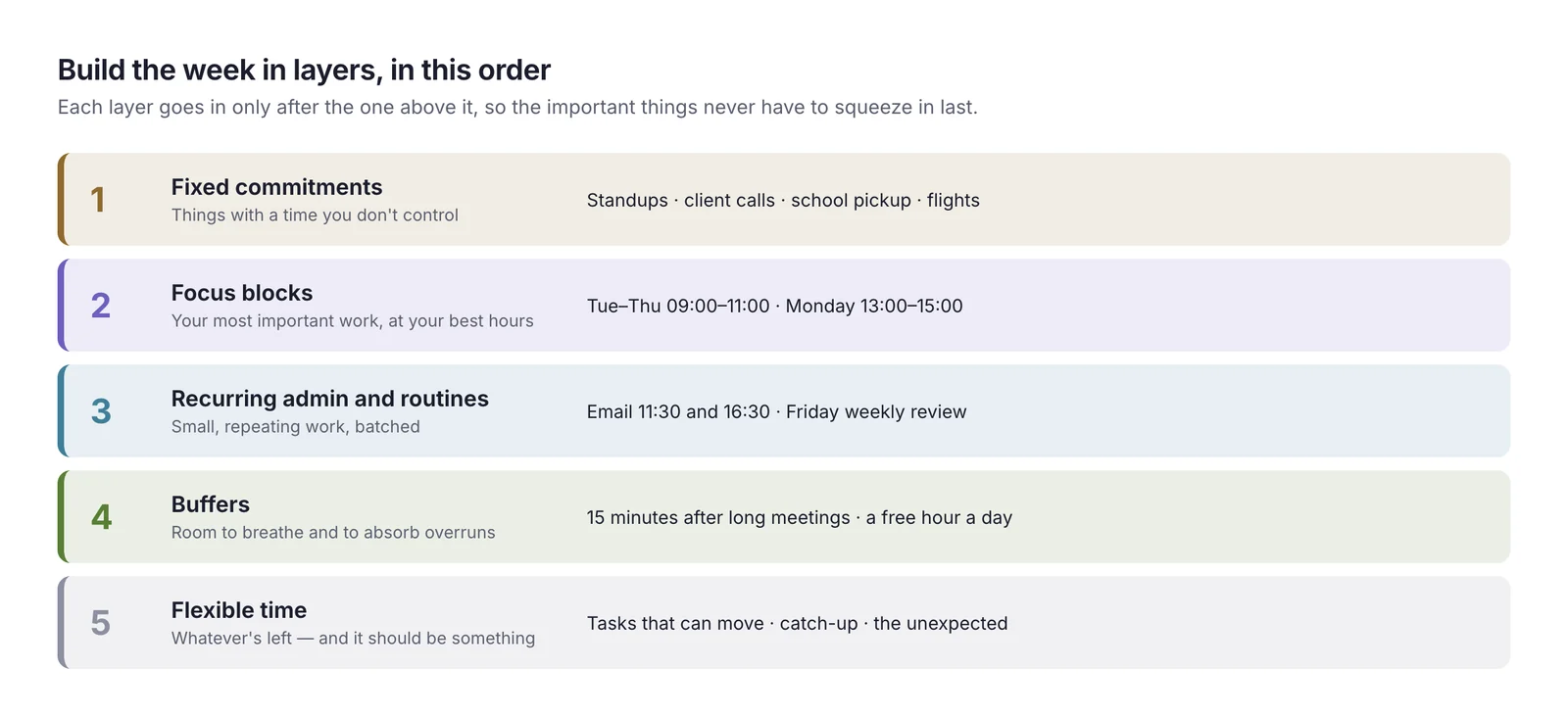
Now open your calendar and make sure every fixed commitment is there, with its real length:
- Recurring meetings you must attend (standups, one-to-ones, the weekly team meeting)
- External calls and client meetings
- Personal commitments with a fixed time: school pickup, a doctor's appointment, a class
- Travel time, as its own event. A 30-minute appointment 20 minutes away takes 70 minutes of your day.
This layer is the skeleton of your week. Everything else fits around it, so it has to be accurate. If you keep work and personal life on separate calendars, this is where most people discover a clash they didn't know about — the parents' evening that lands on top of the late client call.
Step 3: Protect focus blocks before anyone else can take the time
This is the step that changes how a week feels. Before your calendar fills up with other people's requests, reserve time for your most important work.
A good focus block is:
- 90 minutes to 2 hours long. Shorter than an hour and you spend most of it getting started.
- At your best hours. For most people that's mid-morning, but if you think best after lunch, use the afternoon.
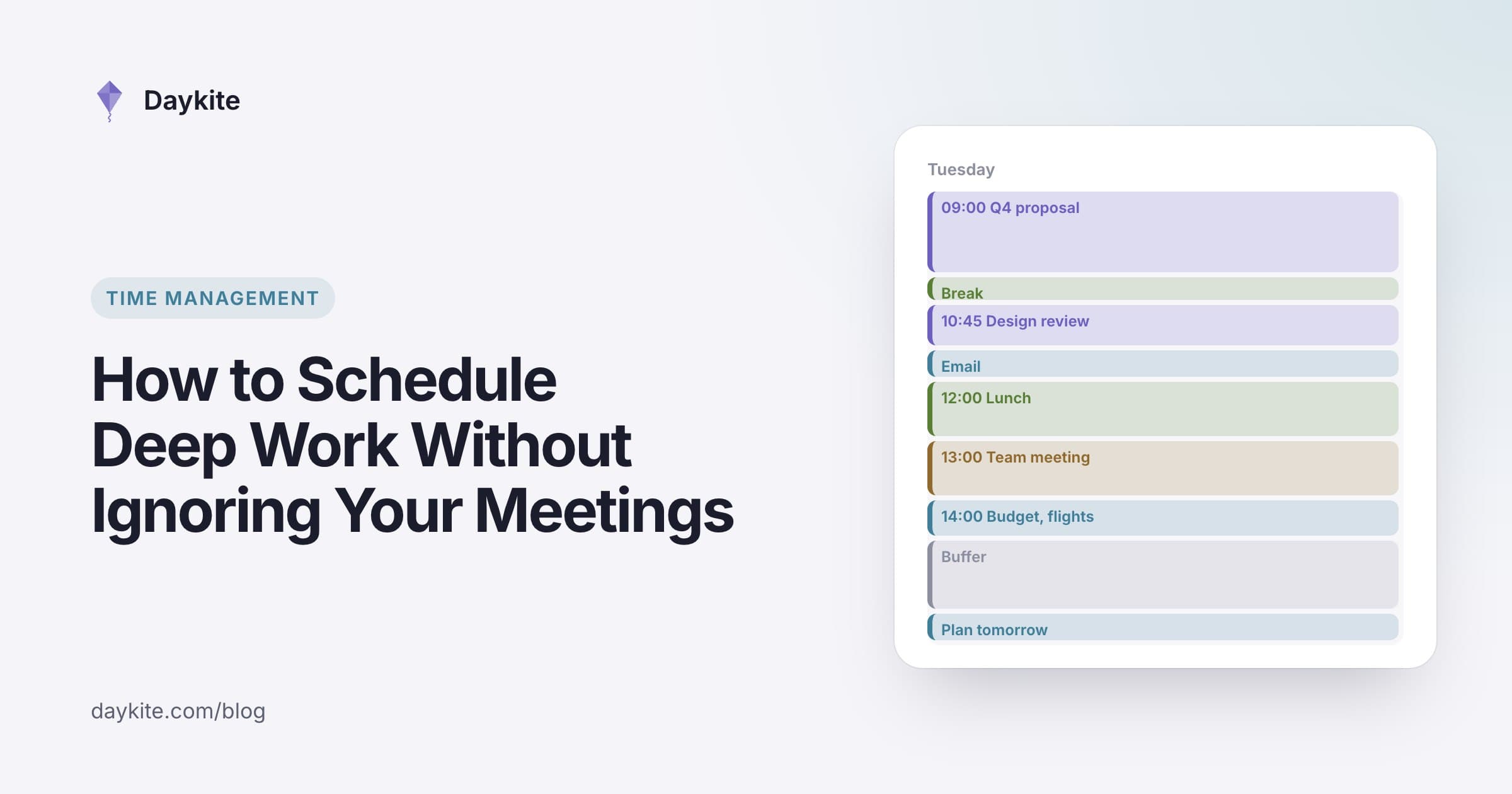
- Named after the work, not "Focus" or "Busy". Draft Q4 proposal is a commitment; Focus is a suggestion.
- Repeated. Three or four blocks a week is plenty to start with. Even two will change your week.
Treat a focus block like a meeting with someone important — because it is. If a meeting request lands on top of one, the default answer is to offer another time.
Step 4: Group your meetings into windows
Meetings scattered across the day are more tiring than the same number of meetings side by side, because each one breaks up the time around it. A 30-minute call at 10:30 doesn't just cost 30 minutes — it turns the whole morning into two pieces too short for real work.
Pick meeting windows: stretches of the week where you're happy to be booked. A common pattern is afternoons, 13:00 to 16:00, with mornings kept for focus. Where you control the time — internal meetings, calls you're setting up — put them in those windows. Where you don't, at least try to place them next to other meetings rather than in the middle of a clear stretch.
While you're at it, look hard at recurring meetings. For each one ask: Would I accept this invitation if it arrived today? A weekly status meeting that could be a written update is worth replacing. Shortening 60-minute meetings to 45 and 30-minute ones to 25 gives back several hours a month and a natural gap between calls.
Step 5: Batch the small stuff
Email, messages, expense reports, booking flights — small tasks aren't the problem. Doing them all day, in between everything else, is.
Give admin two short slots a day, for example 11:30–12:00 and 16:30–17:00, and do it in batches. Outside those slots, messages can wait. Most people find that nothing breaks when email is answered twice a day instead of every few minutes, and that the day suddenly has long stretches in it.
Step 6: Leave buffers, and stop filling every gap
A calendar packed from 09:00 to 18:00 has already failed — something always overruns. Build in slack:
- 10–15 minutes after long or difficult meetings, to write down what was decided before it evaporates
- One unscheduled hour a day somewhere in the afternoon, to absorb whatever went wrong
- A lighter Friday afternoon, so the week's leftovers have somewhere to go
If a day has no free time left on Monday, it's overbooked. Move something now, while it's a choice, rather than on Thursday, when it's an emergency.
Step 7: Give colors a meaning — and only a few
Color coding helps you read a week in two seconds, but only if the colors mean something consistent. Five categories are enough for almost everyone:
| Color | Meaning | Examples |
|---|---|---|
| Purple | Focus work | Writing, design, analysis, coding |
| Brown | Meetings | Calls, one-to-ones, workshops |
| Blue | Admin and planning | Email, reviews, weekly planning |
| Green | Personal | Lunch, exercise, family |
| Striped | Buffer | Travel, recovery, catch-up |
Resist creating a color per client or project. Twelve colors is the same as none.
A real-life example: Maya's week
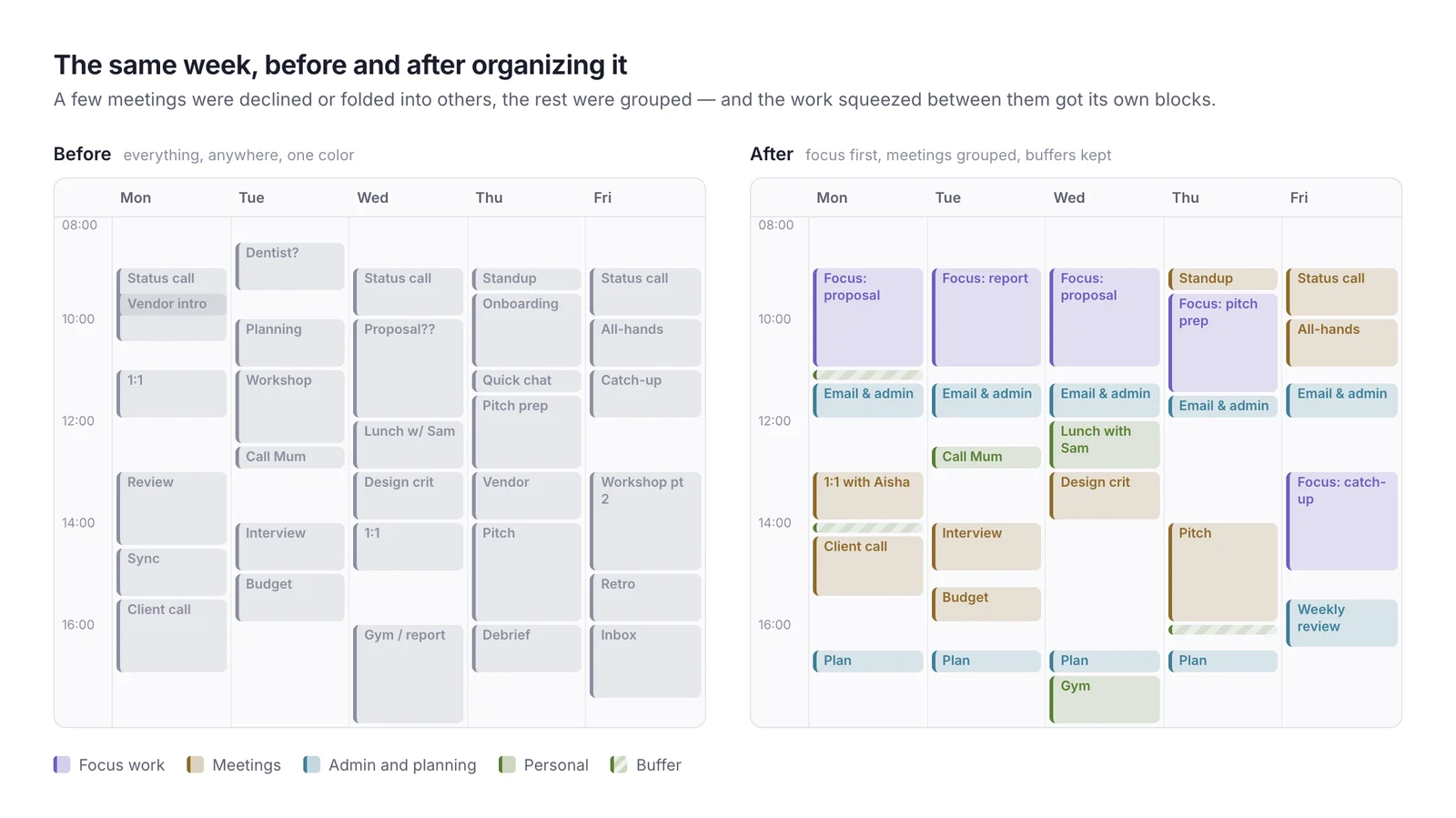
Maya is a product manager at a 40-person software company. Her calendar on a typical Monday morning had 19 meetings, no time for the roadmap document due Friday, and three places where two meetings overlapped.
Here's what she did in 40 minutes:
- Brain dump: 23 items, including the roadmap (estimated at 6 hours), four interview reports and a dentist appointment she'd forgotten to add.
- Fixed commitments: added the dentist on Tuesday at 08:30, with 30 minutes of travel either side.
- Focus blocks: 09:00–11:00 on Monday, Wednesday and Thursday, each named Roadmap: … with the section she'd work on.
- Meetings: declined two status meetings in favor of written updates, moved four internal meetings into the afternoon, and cut three hour-long meetings to 45 minutes.
- Admin: email at 11:30 and 16:30.
- Buffers: 15 minutes after the Thursday pitch; Friday afternoon kept light.
- Colors: five, as in the table above.
The result: the same job, but 6 hours of roadmap time were now on the calendar, meetings fell from 19 to 15, and the overlaps were gone. The roadmap went out on Thursday afternoon instead of late Friday night.
Common mistakes
- Scheduling every minute. A calendar with no slack breaks at the first overrun. Aim for 70–80% planned, not 100%.
- Vague event names. "Work on stuff" gets skipped. "Write section 2 of the proposal" gets done.
- Organizing once. A calendar drifts within a week. The 15-minute daily plan and weekly review below are what keep it working.
- Keeping personal life somewhere else entirely. If your calendar says Thursday evening is free and your family calendar says it isn't, one of them is lying to you.
- Ignoring energy. Putting the hardest work at 16:00 on a Friday because that's where the gap is sets you up to fail.
Keep it working: a 15-minute daily plan and a 30-minute weekly review
The steps above set the week up. Two short habits keep it true:
- Every afternoon, 15 minutes: look at tomorrow. Is the focus block still there? Is anything missing? Is there a gap you'll need for the thing that slipped today?
- Every Friday, 30 minutes: look back at the week — what got done, what didn't, where the time went — and then do steps 1 to 6 for next week, starting from what you already know.
Put both on your calendar as recurring events. They're the cheapest meetings you'll ever attend.
Where automation helps
Once the structure is in place, much of it can maintain itself:
- Recurring events for focus blocks, admin slots and the weekly review, so the structure appears every week without effort
- Rules that protect focus time, so a meeting invitation that lands in your morning block is declined or pushed elsewhere automatically
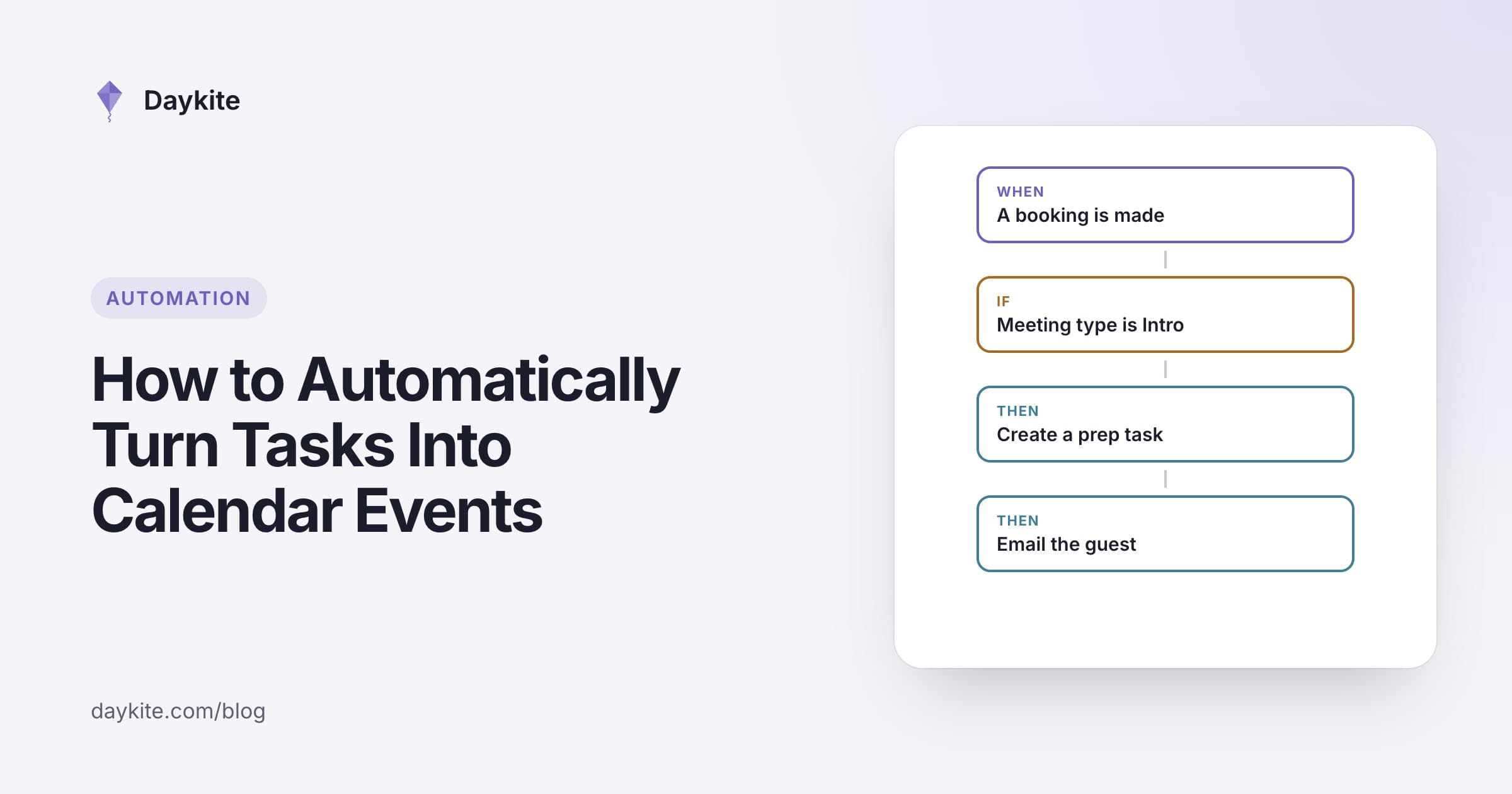
- Tasks that turn into time, so the report due Thursday shows up as a block on the calendar rather than a line on a list
How Daykite fits in
Daykite was built around this way of working. You can see work and personal calendars together in one week view, give each kind of event its own color, and drag tasks straight onto the calendar as time blocks. Focus blocks are protected: an invitation that lands inside one is declined for you, and you're told so. A Protect my time rule such as Deep-work mornings keeps those hours off your booking page and out of the times Daykite suggests for meetings. And if you'd rather talk than click, the assistant can set it up for you: "Protect my mornings for deep work."
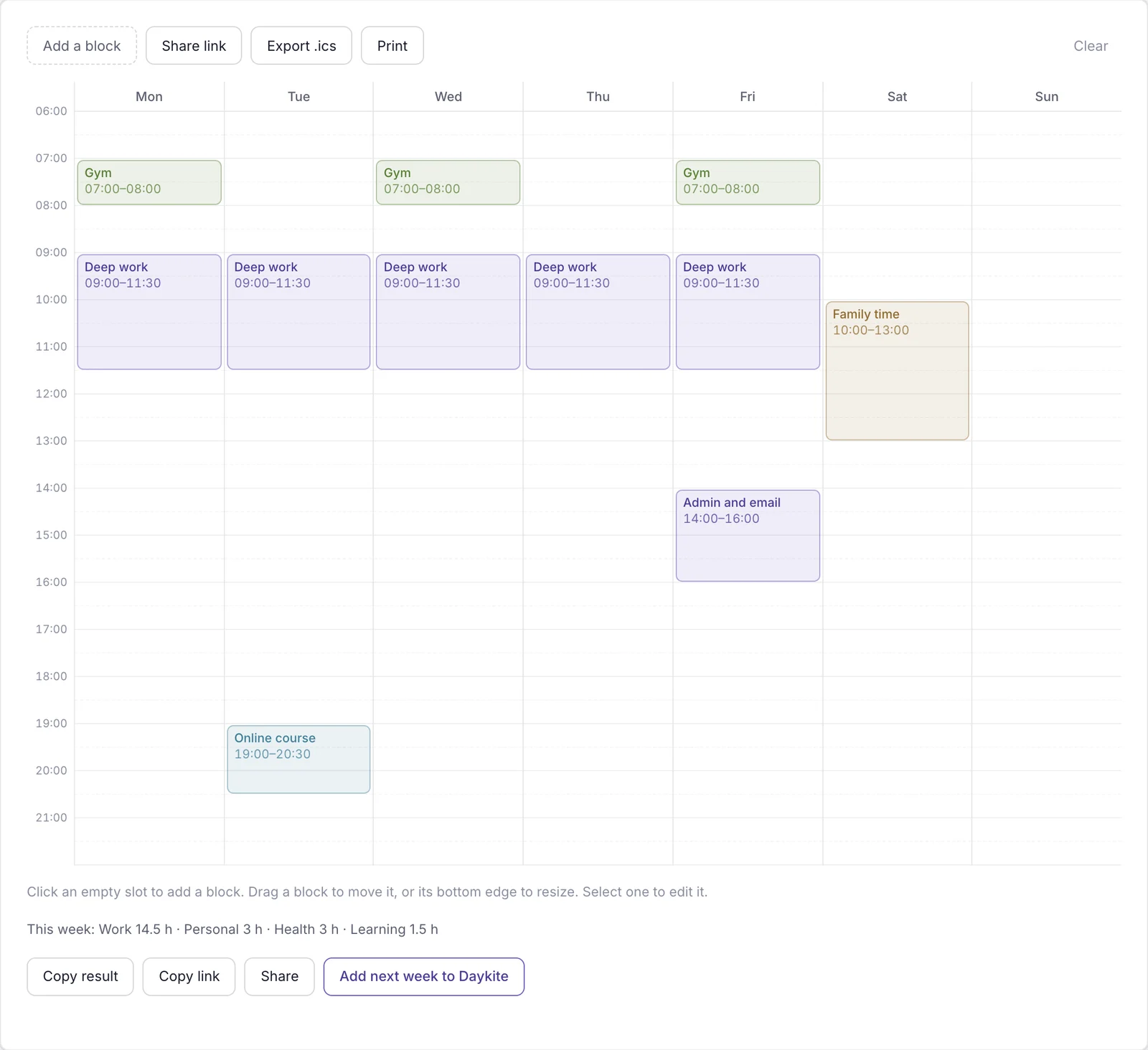
If you want to try the method before changing anything, sketch the week in the free Weekly Planner — no account needed — or turn a task list into a timed day with the Time Blocking Planner.
Frequently asked questions
How long does it take to organize a calendar?
About 45 minutes the first time, following the seven steps above. After that, a 30-minute weekly review and 15 minutes each afternoon keep it organized.
How many focus blocks should I schedule each week?
Start with three or four blocks of 90 minutes to 2 hours. That's six to eight hours of protected time, which is enough to move a major project forward without making your calendar impossible for colleagues.
Should I put personal events on my work calendar?
Put them where you'll see them together with your work. You don't need to share the details — most calendars can show personal events to colleagues as simply "busy" — but you do need to see them when you plan.
What's the best way to color-code a calendar?
Use five colors or fewer, each with a single meaning: focus work, meetings, admin, personal and buffers. Color by the kind of time, not by client or project, so the shape of the week is readable at a glance.
What should I do when my calendar is already full?
Start with Step 4. Decline or replace one or two recurring meetings, shorten the rest, and move what you can into afternoon windows. Even one freed-up morning a week gives you somewhere to put the work that's currently being done late at night.
calendar organizationweekly planningtime blockingfocus timeproductivity

Comments