Time Blocking Examples: 7 Real Schedules You Can Copy
Seven complete time-blocked days — for a maker, a manager, a parent, a student, a freelancer, a shift worker and a founder — with the reasoning behind each block.
The Daykite team7 min read
Time blocking makes sense in theory — give every task a slot on your calendar — but the first time most people try it, they stare at an empty day and wonder what it's supposed to look like. The answer depends on your job. A software engineer's ideal day looks nothing like a store manager's, and a parent's day has fixed points a student's doesn't.
So here are seven complete time-blocked days, each for a different kind of work, with the reasoning behind every choice. Copy the one closest to your life and adjust it. (If you're new to the idea, start with what time blocking is and how it works.)
1. The maker: a software engineer
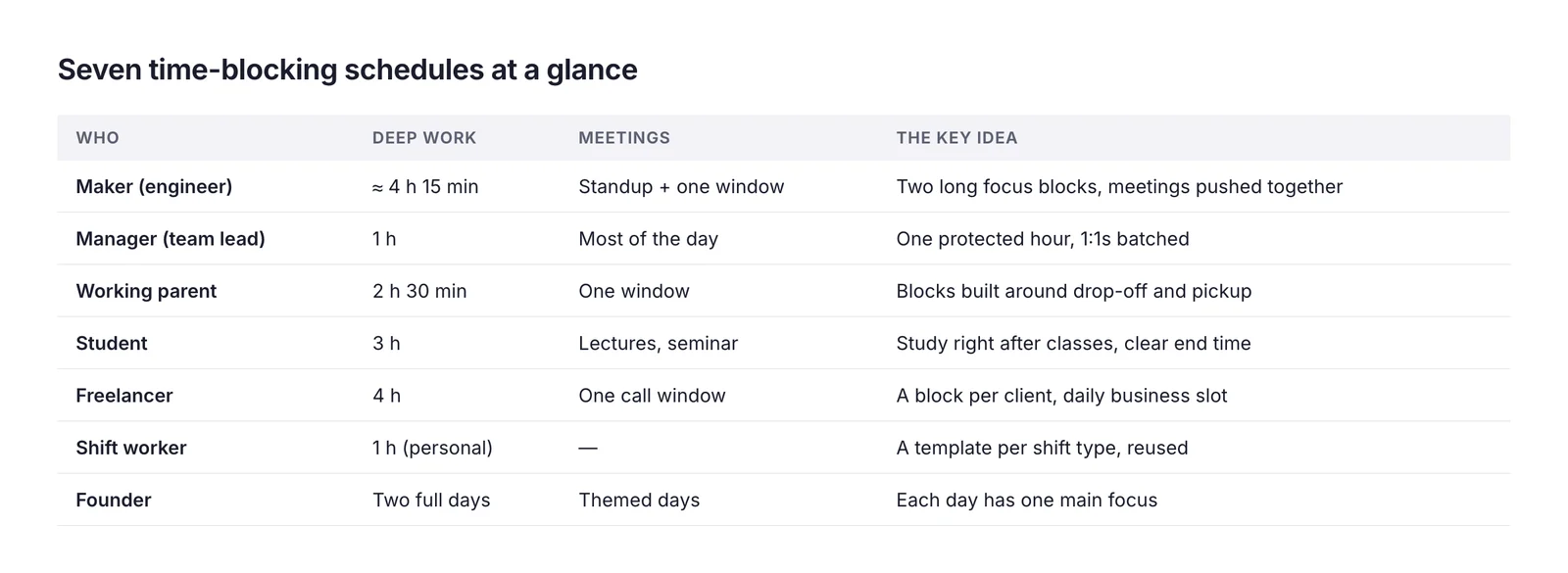
Makers need long, unbroken stretches. One meeting in the middle of the morning can destroy it.
| Time | Block |
|---|---|
| 08:30–09:00 | Plan the day, review pull requests |
| 09:00–11:30 | Deep work: the feature |
| 11:30–12:00 | Messages and code reviews |
| 12:00–13:00 | Lunch |
| 13:00–13:15 | Standup |
| 13:15–15:00 | Deep work: tests and fixes |
| 15:00–16:30 | Meetings window (design review, 1:1) |
| 16:30–17:00 | Messages, plan tomorrow |
Why it works: two long focus blocks — 2.5 hours and nearly 2 hours — with the one unavoidable standup moved to the start of the afternoon, and all other meetings pushed into one window.
2. The manager: a team lead
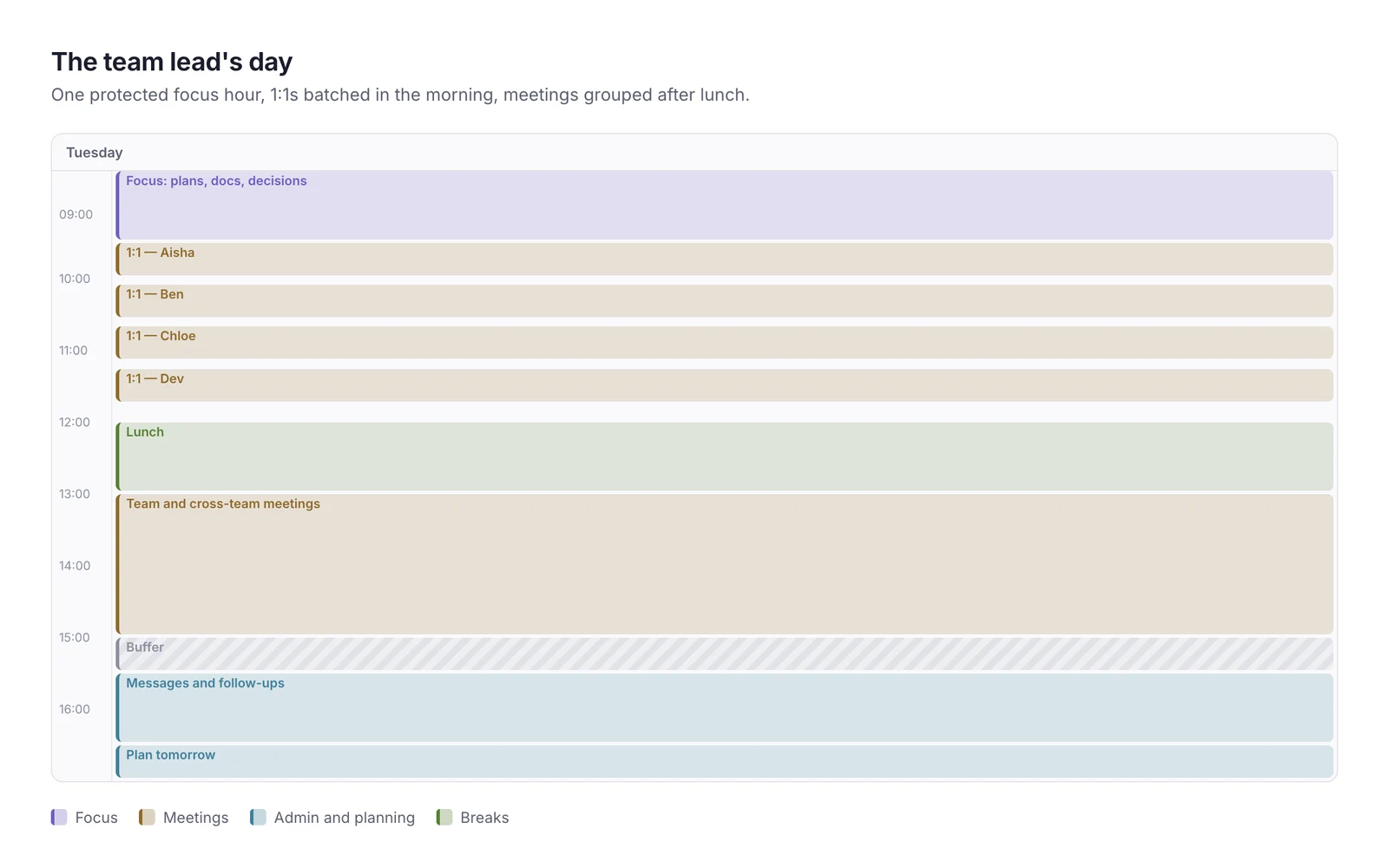
Managers live in meetings. The goal isn't to avoid them — it's to keep a little time for thinking and to stop meetings from spreading everywhere.
| Time | Block |
|---|---|
| 08:30–09:30 | Focus: plans, docs, decisions |
| 09:30–12:00 | 1:1s (30 min each, 5-minute gaps) |
| 12:00–13:00 | Lunch |
| 13:00–15:00 | Team and cross-team meetings |
| 15:00–15:30 | Buffer |
| 15:30–16:30 | Messages and follow-ups |
| 16:30–17:00 | Plan tomorrow |
Why it works: one protected hour before the meetings start, 1:1s batched together, and a buffer that absorbs the meeting that always runs over.
3. The working parent
A parent's day has fixed points that don't move: drop-off, pickup, dinner. Time blocking builds the work day around them rather than pretending they aren't there.
| Time | Block |
|---|---|
| 07:30–08:30 | Getting everyone out of the house |
| 08:45–11:15 | Deep work |
| 11:15–11:45 | Email and messages |
| 11:45–12:30 | Lunch and a walk |
| 12:30–14:30 | Meetings window |
| 14:30–15:00 | Admin |
| 15:00–15:30 | School pickup |
| 15:30–17:00 | Kids' time |
| 20:30–21:00 | Optional: catch-up or plan tomorrow |
Why it works: the best focus hours are guaranteed before anyone else is awake at work, and pickup is blocked like a meeting so nobody books over it.
4. The student
Students have flexible days with hard deadlines — the perfect conditions for procrastination. Blocks turn "I'll study later" into a plan.
| Time | Block |
|---|---|
| 09:00–10:30 | Lecture |
| 10:45–12:15 | Study: essay draft |
| 12:15–13:00 | Lunch |
| 13:00–14:00 | Seminar |
| 14:15–15:45 | Study: problem set |
| 15:45–16:15 | Break, walk |
| 16:15–17:00 | Review today's notes |
| 17:00 | Free |
Why it works: study blocks sit right after classes while the material is fresh, each block has one specific task, and the day has a clear end.
5. The freelancer
Freelancers juggle client work, finding new clients and running the business. Without blocks, admin and sales get squeezed out until invoices are late and the pipeline dries up.
| Time | Block |
|---|---|
| 09:00–11:30 | Client A: design work |
| 11:30–12:00 | |
| 12:00–13:00 | Lunch |
| 13:00–14:30 | Client B: revisions |
| 14:30–15:30 | Client calls |
| 15:30–16:15 | Business: invoices, proposals |
| 16:15–16:45 | Sales: follow up two leads |
| 16:45–17:00 | Log hours, plan tomorrow |
Why it works: each client gets its own block, billable work happens in the best hours, and the business itself — invoices, sales — has a daily slot instead of whatever's left on Friday.
6. The shift worker
Shift work changes week to week, so a fixed daily template doesn't work. Instead, block each day type — an early shift, a late shift and a day off — once, and reuse them.
Early shift day (06:00–14:00):
| Time | Block |
|---|---|
| 05:00–05:45 | Wake, breakfast, commute |
| 06:00–14:00 | Shift |
| 14:30–15:30 | Rest |
| 15:30–16:30 | Personal project or study |
| 16:30–18:00 | Errands, exercise |
| 21:00 | Wind down |
Why it works: the most useful personal block comes after rest, not straight after the shift, and an early night protects the next early start.
7. The founder
Founders face endless context switching: product, hiring, customers, investors. Theming days — giving each day one main focus — is often more effective than blocking every hour.
| Day | Theme |
|---|---|
| Monday | Planning, team 1:1s |
| Tuesday | Product and deep work |
| Wednesday | Customers and sales calls |
| Thursday | Product and deep work |
| Friday | Hiring, finance, weekly review |
Within each day, the morning holds the theme's most important work and the afternoon handles everything else.
Why it works: two full deep-work days a week survive even a busy fundraising month, and every other responsibility still has a home.
What all seven have in common
Different jobs, same principles:
- The hardest work goes in the best hours — usually the morning.
- Small tasks are batched — email, admin and messages get one or two slots, not the whole day.
- Meetings are grouped into windows rather than scattered.
- Fixed points are blocked first — pickup, lectures, shifts.
- There's slack — buffers and an unplanned hour for whatever goes wrong.
- Every block has one clear task — never just "work".
How to adapt a template to your day
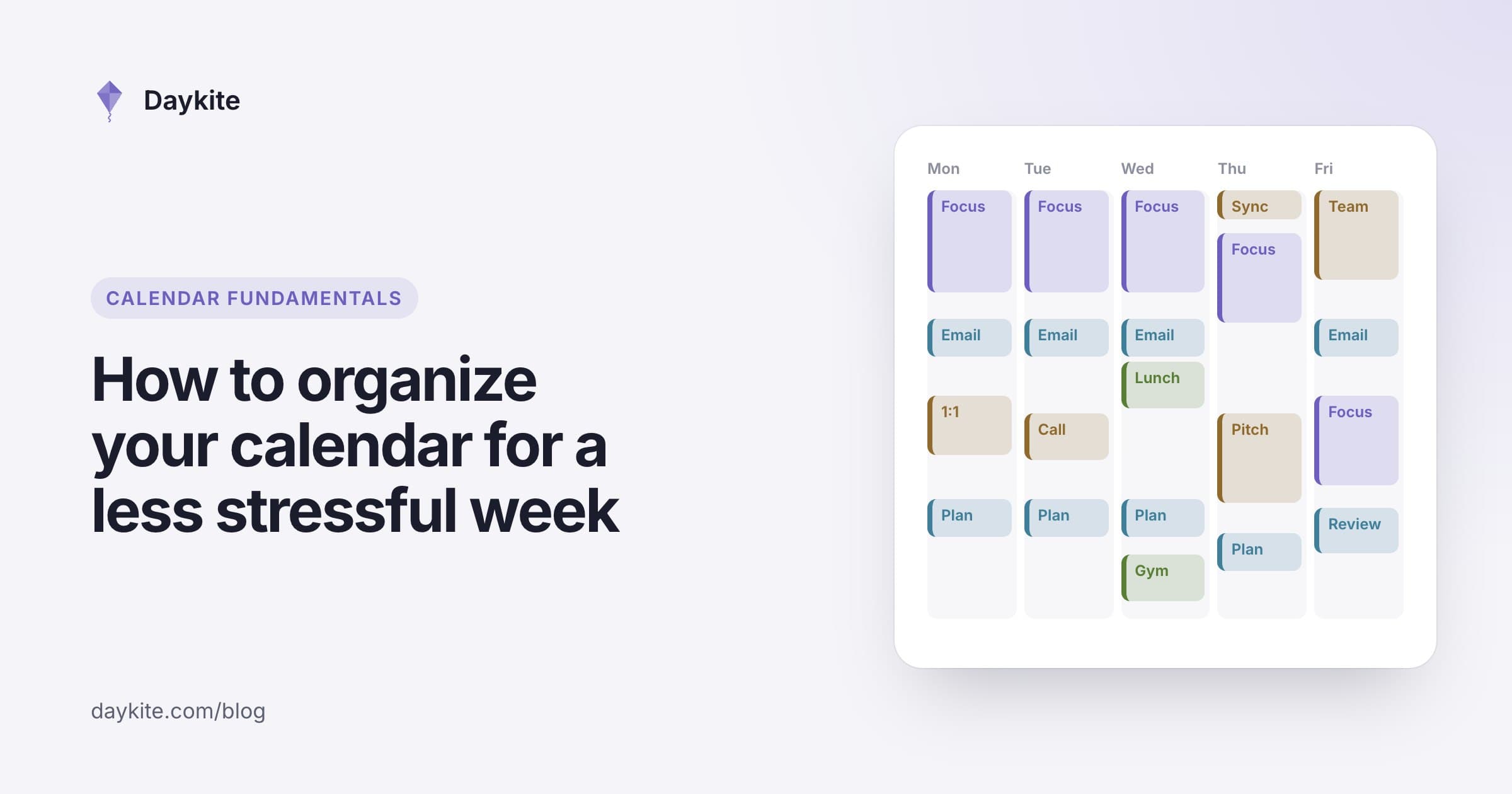
- Pick the example closest to your job.
- Replace its fixed points with yours: meetings, pickups, commutes.
- Move the focus blocks to your best hours.
- Fill them with this week's real tasks, with honest estimates.
- Try it for a week, then adjust at your weekly planning session.
The free Time Blocking Planner does steps 3 and 4 for you: enter your tasks, estimates and fixed appointments, and it lays out a timed day with breaks.
Testing a template for one week
Don't judge a template on day one. Run it for a full week and keep a simple note at the end of each day:
- Did the focus blocks survive? If meetings kept landing on them, move them to hours where meetings are rarer.
- Were the estimates right? If a 90-minute block kept running to two hours, adjust the estimate, not your expectations.
- Where did the unplanned hour go? If it was always used, you need two. If it was never used, you can plan a little more.
- How did the last block of the day feel? If you were exhausted by 16:00, move demanding work earlier and put admin at the end.
On Friday, change one thing — only one — and run the adjusted template the following week. After three or four weeks you'll have a schedule that fits your real days rather than an ideal one.
Common mistakes
- Copying a template exactly. Your fixed points and energy are different. Adapt it.
- Blocking every minute. Leave at least an hour a day unplanned.
- Blocks without tasks. "Deep work" with no named task becomes email.
- Giving up after one bad day. Re-block the rest of the day and carry on.
How Daykite helps
In Daykite, tasks and your calendar sit side by side. Drag a task from the tasks panel onto the week and it becomes a block as long as its estimate — tasks on your calendar shows the three ways. Mark deep-work blocks as Focus and invitations that land inside them are declined for you, as explained in how to protect focus time on your calendar. And with Goals, Daykite can find time for your tasks automatically before they're due.
Frequently asked questions
What does a time-blocked schedule look like?
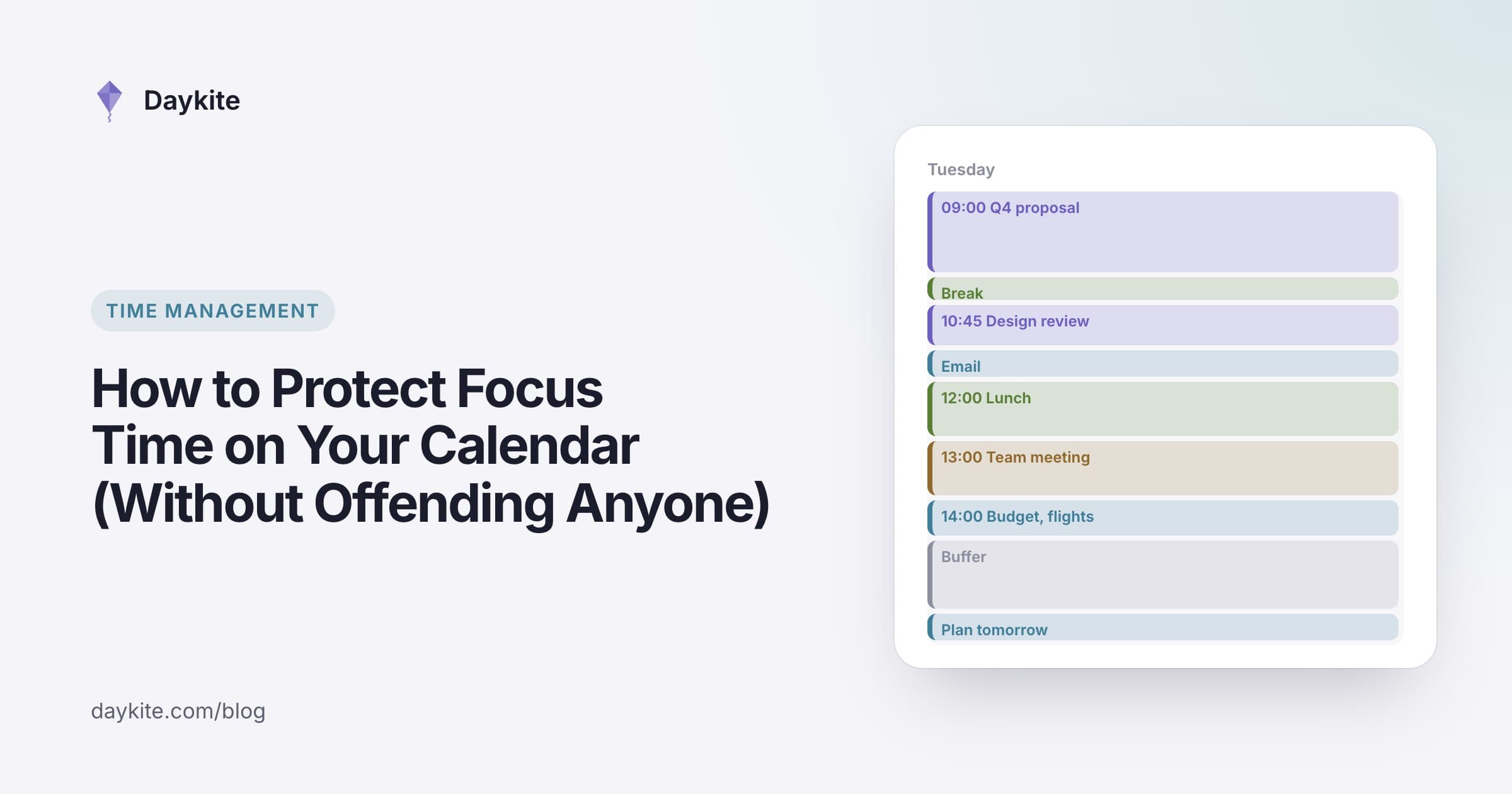
A time-blocked schedule gives every part of the day a named job: 09:00–11:30 write the proposal, 11:30–12:00 email, 12:00–13:00 lunch. Hard work goes in the best hours, small tasks are batched, and at least an hour stays unplanned.
What's the best time-blocking template?
The one that matches your job's fixed points. Makers need long morning focus blocks, managers need meetings grouped with one protected focus hour, and parents need blocks built around drop-off and pickup.
How do you time block with a job that has shifts?
Create a template for each kind of day — early shift, late shift, day off — and reuse them. Put personal blocks after rest rather than straight after a shift.
How many time blocks should I have in a day?
Most people do well with six to ten blocks, including breaks and buffers. Fewer, longer blocks for deep work; shorter ones for batched small tasks.
How do I time block if my work is unpredictable?
Block less and leave more slack. Keep one or two protected blocks for your most important work and several open stretches for whatever comes up. Re-block the rest of the day when something unexpected arrives.
What's the difference between time blocking and day theming?
Time blocking assigns specific tasks to specific hours. Day theming gives each whole day one main focus — Tuesday for product, Wednesday for customers — and then blocks the hours within it. Founders and people with several roles often combine the two.
Should I time block my whole day or just work?
Start with work hours. Once that feels natural, blocking personal commitments — exercise, family time, errands — helps protect them from work creeping in.
time blocking examplestime blocking scheduledaily scheduleproductivitydeep work
Comments